Create NFIP Application



An agent must complete several steps to produce an NFIP application or obtain a quote. Equinox ensures that all required information is collected and validated before the application is submitted. This process is designed to reduce errors and enhance efficiency by guiding the agent through a series of steps that ensure compliance with NFIP guidelines.
|
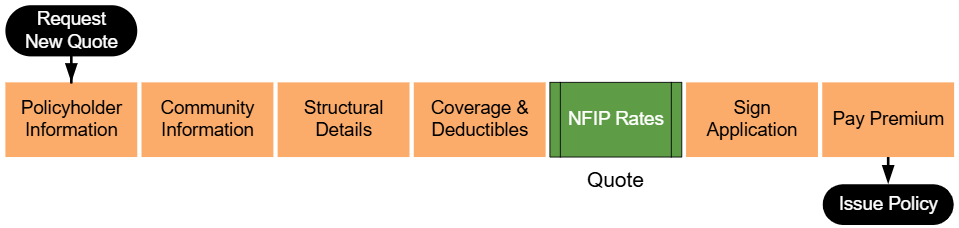
The workflow shown above begins by entering basic property details and continues through collecting additional information about the building, coverage options, and flood zone determinations. At the "NFIP Rates" step, highlighted in green, agents can generate a preliminary quote based on the details provided. This allows the agent to review potential costs before signing the application and collecting premium.
 Information Icons Information Icons
|
Equinox has small information icons placed next to important sections or fields. When a user hovers over an icon, a small window provides extra details about that section. The messages from these icons can be found in the NFIP Application Reference relative to each page of the application process.
|
A. Request New Quote
Select the "Request New Quote" button near the top of the page.

B. Property Address
Choose "NFIP Flood" from the second drop down window.
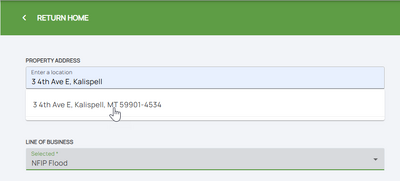
C. Step 1: Basic Information
From this point forward, the right side of the page will show a page completion list with the quote/application progress.
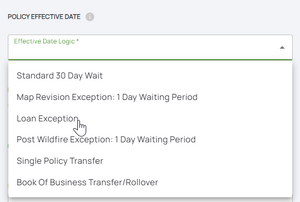
D. Step 2: Third Party Data
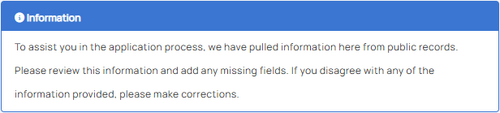
Agents should review all data for accuracy and manually input any missing or inaccurate information.
E. Step 3: Property Information

F. Step 4: Building Type
G. Step 5: Foundation Type
Agents must also answer a single question about the number of elevators in the building.
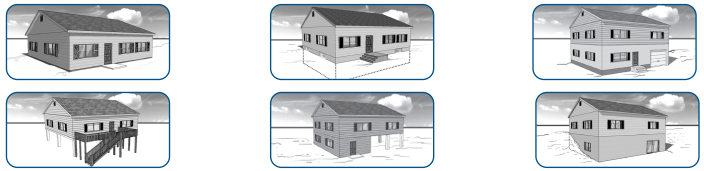
H. Step 6: Elevation Certificate Information
H. Step 7: Qualifying Questions
J. Step 8: Coverage, Deductibles & Discounts
K. Step 9: Rates
Next Steps
Once all steps are finished, the NFIP Application is complete.
The next step for Equinox to issue the policy would be to submit premium payment.