

Consumer Portal

The Consumer Portal in the Equinox platform empowers policyholders to manage their policies directly while staying connected with their agents for support. This portal provides a user-friendly interface for accessing policy information, making payments, and submitting inquiries.
|
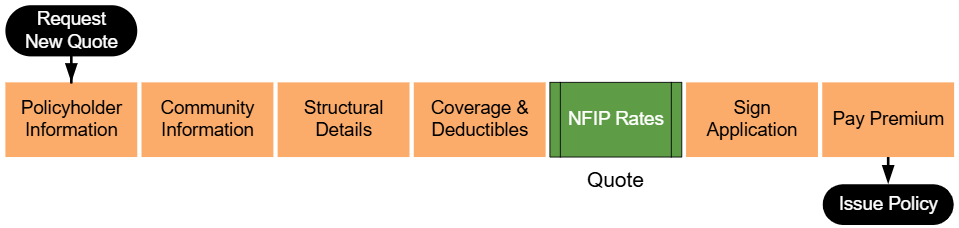
Lorem ipsum dolor sit amet, consectetur adipiscing elit, sed do eiusmod tempor incididunt ut labore et dolore magna aliqua. Ut enim ad minim veniam, quis nostrud exercitation ullamco laboris nisi ut aliquip ex ea commodo consequat. Duis aute irure dolor in reprehenderit in voluptate velit esse cillum dolore eu fugiat nulla pariatur. Excepteur sint occaecat cupidatat non proident, sunt in culpa qui officia deserunt mollit anim id est laborum.
Step 1: Find the Policy
Text of the information (edit this).
 Any other text below an image (edit image and this line).
Step 2: Click "Check Out"
Text of the information (edit this).
Any other text below an image (edit image and this line).
Step 3: Find Billing Information
Text of the information (edit this).
Any other text below an image (edit image and this line).
Step 4: Update Billing Information
Text of the information (edit this).
Any other text below an image (edit image and this line).
Step 5: Complete the Update
Text of the information (edit this).
Any other text below an image (edit image and this line).
Key Features of the Consumer Portal
1. Policy Overview
- Displays key details such as policy number, effective dates, and coverage limits.
- Provides a summary of recent activity, including payments and endorsements.
2. Payment Management
- Enables policyholders to view their billing history and make payments online.
- Supports multiple payment methods for convenience.
- Includes reminders for upcoming payment due dates.
3. Policyholder Actions
- Request Policy Changes: Allows users to submit requests for changes to their policies, such as updates to coverage or contact details.
- File a Claim: Provides a guided process for initiating claims directly through the portal.
4. Document Access
- Policyholders can view and download key documents, such as declarations pages, invoices, and correspondence.
- Secure storage ensures privacy and accessibility.
5. Agent Connectivity
- Features a direct messaging tool for policyholders to communicate with their agents.
- Displays agent contact information prominently for easy access.
- Ensures agents are notified of any policyholder actions or inquiries.
Benefits of the Consumer Portal
- Convenience: Policyholders have 24/7 access to their policies and related actions.
- Transparency: Real-time updates keep users informed of their policy status.
- Support: Integration with agent workflows ensures prompt assistance.
- Use the dashboard to quickly access key actions, such as making payments or filing claims.
- Keep agent contact details handy for support with more complex issues.
- Check the notifications section regularly for updates on policy status or payments.
- The meeting focused on the Consumer Portal, designed for policyholders to access and manage their policies with ease.
- Features include:
- Access to policy details and documents.
- Ability to report claims, request changes, or initiate cancellations.
- Notifications sent via email for actions like renewal reminders or required document uploads.
- Integration with Elevation Certificate generation for policyholders to download, complete, and resubmit.
Key Features of the Consumer Portal
- Policy Overview:
- Displays policy numbers (current, pending, expired).
- Shows details like property address, premiums, discounts, and coverages (dwelling, personal property, etc.).
- Document Management:
- Policyholders can download and upload documents directly from the portal.
- Payments:
- Users can view outstanding balances, upcoming bills, and payment options.
- Plans for enhancements include adding property descriptions and expanding payment plan options.
- Claim Management:
- Users can report claims and communicate with examiners or adjusters via a message center.
- Includes document sharing and status updates (e.g., pending assignment or proof of loss).
- Change Requests:
- Allows updates to coverage, deductibles, mortgage information, or insured details.
- Non-monetary changes are auto-issued; monetary changes are sent for underwriter review.
- Cancellation Requests:
- Policyholders can select valid cancellation reasons, attach required documents, and update mailing information for refunds.
- All cancellations require underwriter review, with enhancements planned for automating agent signature collection.
Planned Enhancements
- Electronic Mail: Users can opt-in for electronic communications to reduce physical mail costs.
- Auto-Pay Integration: Potential for adding automatic payment options.
- Agent Notifications: Automated emails for missing signatures or additional required actions.
General Observations
- The Consumer Portal aims to be a one-stop shop, empowering policyholders to manage policies independently, reducing reliance on agents.
- Upcoming features will further streamline processes and improve user experience.
Key Takeaway
The Consumer Portal is positioned as a user-friendly and efficient tool for policyholders, providing significant advantages over competitors. Enhancements will focus on automation, accessibility, and reducing manual intervention.